
AirDroid Alternative
A Free, Open-Source AirDroid Alternative for Local Access
Manage Android files and photos from your computer browser on the same Wi-Fi. Install PlainApp on your phone; no PlainApp account or desktop client is required. For built-in access from another network, compare AirDroid’s remote options.
Android 9.0+ · Same Wi-Fi or hotspot · Android app required · Desktop browser
Download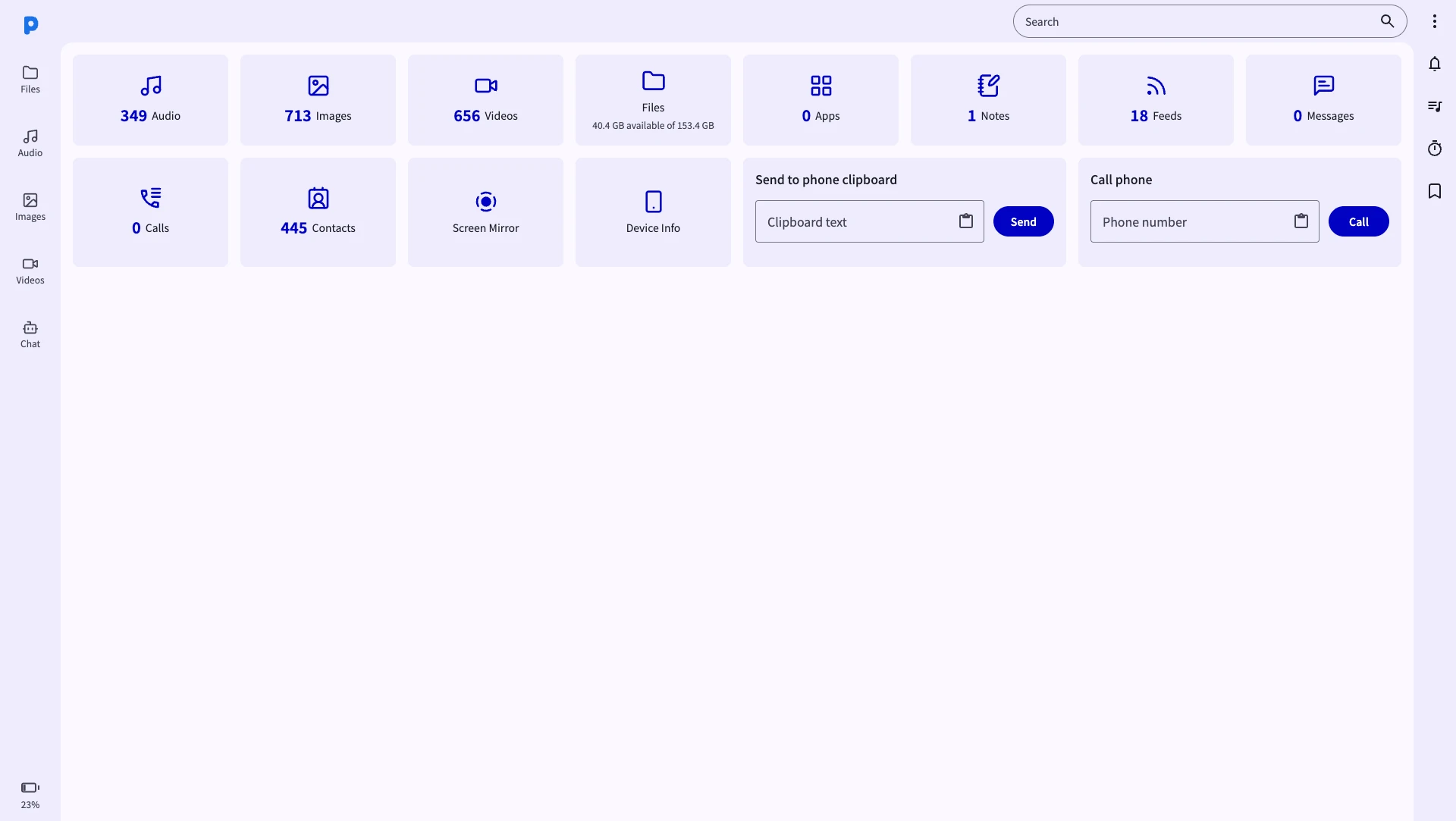
AirDroid vs PlainApp — what's the difference?
- File transfer, SMS, contacts, screen mirroring
- Notification mirroring
- Remote access outside local network
- Account-based remote access; local IP connection also available
- Local or remote connection, depending on setup
- Remote limits depend on the current plan and connection mode
- Closed source
- No account — install and go
- All data stays on your local network
- No file size or transfer limits
- Works from any browser — no desktop app needed
- File manager, contacts and screen mirroring; SMS/calls in F-Droid or GitHub builds
- Notification mirror, RSS reader, Markdown notes
- Fully open source under AGPL 3.0
Feature comparison: PlainApp vs AirDroid
| Feature | PlainApp | AirDroid (Free) |
|---|---|---|
| Local IP access without an account | ||
| Local network file transfers | ||
| Browser-based phone access | ||
| Open source | ||
| File manager (browse, upload, download) | ||
| Send & receive files wirelessly |
Why choose PlainApp over AirDroid?
Choose PlainApp for an open-source dashboard on your own local network. AirDroid also supports local connections and offers remote-access options; the better fit depends on how you connect.
True local privacy — no cloud hop
PlainApp serves its dashboard directly from your Android phone over your local network. AirDroid also supports a local IP connection; compare the mode you actually use.
No account, ever
PlainApp needs no account for local browser access. AirDroid also provides a local IP option, so account requirements depend on its connection mode.
No transfer limits
PlainApp has no app-imposed file size or monthly transfer quota. Available phone storage, browser support and network conditions still affect transfers.
No desktop app to install
Install PlainApp on Android and use a browser on your computer. AirDroid also has a web client; PlainApp’s distinction is its open-source, local-first design.
Open source & auditable
AirDroid is closed source. PlainApp publishes every line of code on GitHub under AGPL 3.0 — you can audit, build, and fork it yourself.
Direct local transfers
Phone-to-browser transfers use your local network. Actual speed depends on Wi-Fi, storage and the devices involved; there is no universal speed multiplier over another app.
When should you use each?
Use AirDroid if…
You need remote access to your phone from outside your home network and are comfortable creating an account and having data pass through AirDroid's servers.
Use PlainApp if…
You want to manage your Android phone from a browser on the same network — with full file management, SMS, contacts, screen mirroring, and more — without any cloud, account, or file size limits. Perfect for home, office, and travel hotspot use.
How to send files from Android to PC
Install on Android first. The computer only needs a browser and a connection to the same local network.
- 1
Install PlainApp on your Android phone
Get PlainApp for Android from Google Play, F-Droid or GitHub. Connect your phone and PC to the same Wi-Fi, or connect the PC to your phone’s hotspot.
- 2
Open PlainApp and tap "Start"
Start the local service and find the address displayed in the app. Use that actual address rather than copying an example IP from a guide.
- 3
Open the URL in your PC browser
Enter the exact address in a modern browser on Windows, Mac or Linux. If it will not open, check the shared network and guest-network isolation; use the troubleshooting guide below.
- 4
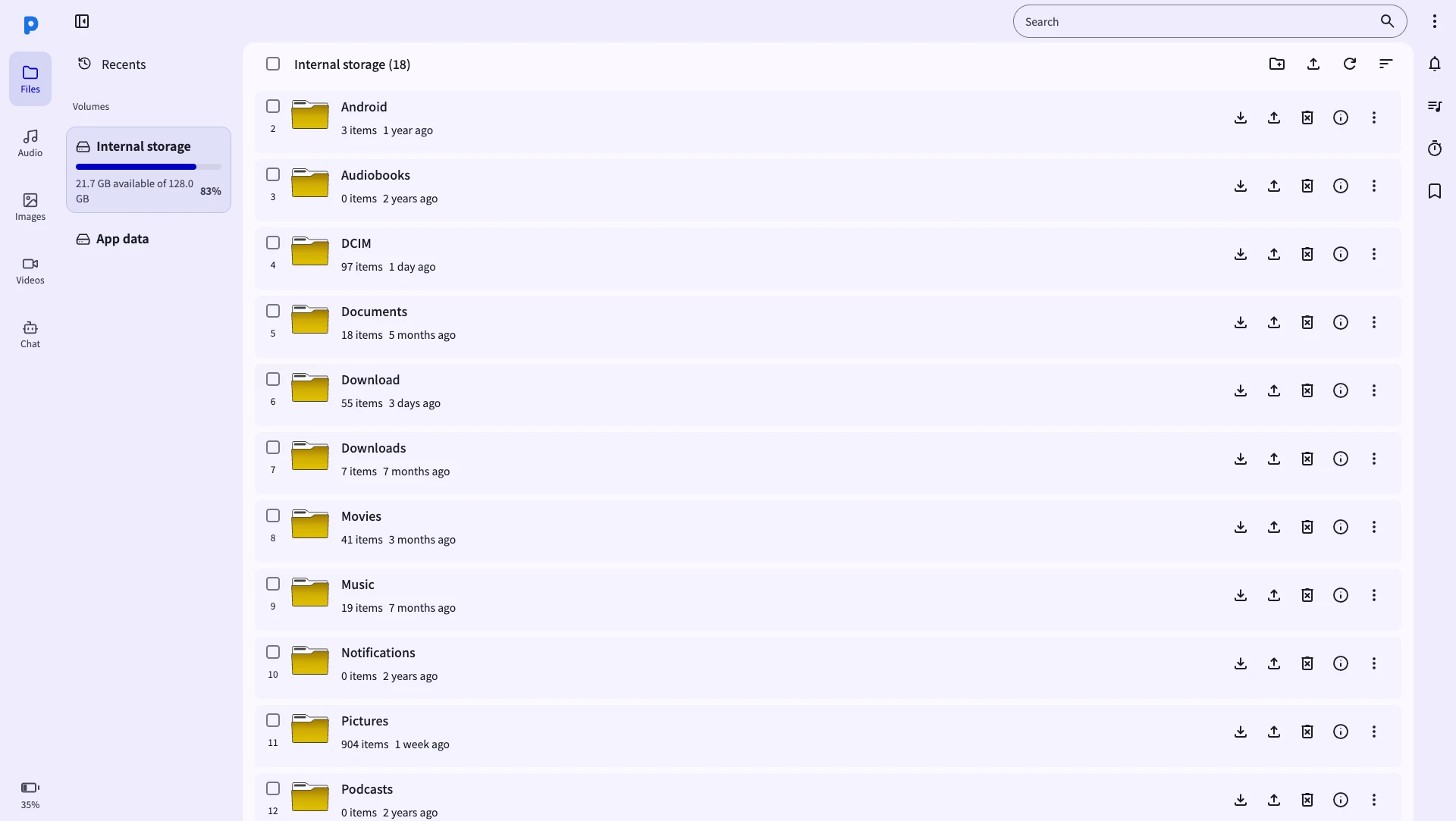
Go to "Files" and start transferring
Open Files. To copy phone files to the computer, select them and choose Download. To send computer files to Android, use Upload or the upload area. Confirm the destination folder before starting a large transfer.
Frequently Asked Questions
What is a good free alternative to AirDroid?
PlainApp is a free, open-source option for managing Android from a browser on the same network. Install the Android app; no PlainApp account or desktop client is required. SMS and call features require the F-Droid or GitHub build and the relevant Android permissions.
Does PlainApp work the same way as AirDroid?
Both offer browser access to an Android phone. PlainApp focuses on local access through a service running on the phone. AirDroid supports local and remote connections; use its official guide to choose the appropriate mode.
How do local connections compare?
PlainApp serves its dashboard from your phone on the local network. AirDroid also supports a local IP connection. Compare connection mode, permissions and access controls rather than assuming one product is always safer.
Can PlainApp access my phone remotely like AirDroid?
PlainApp is designed for local network use only, which is what makes it private and fast. For local network use — home, office, or phone hotspot — it works perfectly. Remote access outside your network is not built in, but you can achieve it via a VPN.
Does PlainApp have a file size limit like AirDroid's free tier?
No. PlainApp has absolutely no file size or monthly transfer limits. You can transfer files of any size — photos, videos, large archives — at full Wi-Fi speed, completely free.
Is PlainApp open source?
Yes. PlainApp is open source under the AGPL 3.0 license. The full source code is available on GitHub at github.com/plainhub/plain-app. You can inspect it, build it yourself, or contribute.
Take back control of your phone.
No cloud middleman. No monthly fees. Just your phone and your browser.