
Choose what you need
- Open AirDroid: go to the official AirDroid Web client. This article is an independent guide from the PlainApp team.
- Connect on the same Wi-Fi: see local connection steps, including AirDroid's local IP option.
- Replace AirDroid: compare local browser access with PlainApp and the other options below.
Table of Contents
- Local access or remote access?
- Connect over your local network
- When PlainApp is a fit
- Other file-transfer options
- Which option should you choose?
Local access or remote access?
AirDroid supports both local and remote connections. It is inaccurate to say that every AirDroid transfer goes through cloud servers. The connection mode matters when comparing privacy, account requirements and transfer limits.
AirDroid's official local-connection guide describes connecting directly with the phone's IP address. For access away from your local network, consult AirDroid's current plan and connection requirements. Remote-plan limits should not be presented as limits on every local transfer.
Connect over your local network
If you already use AirDroid and just need local access:
- Connect your Android phone and computer to the same local network.
- Open AirDroid on the phone and select AirDroid Web.
- Find the IP address under its local connection option.
- Open that exact address in your computer's browser and approve the connection on your phone.
If it fails, check whether a guest network or access-point isolation prevents the devices from reaching each other. Use AirDroid's official guide for product-specific troubleshooting rather than assuming a paid plan is required.
When PlainApp is a fit
Choose PlainApp when you want an open-source Android file manager and phone dashboard in your computer's browser. Install PlainApp on the Android phone, start its local service, then open the address shown in the app from a device on the same network. No PlainApp account or computer-side app is required.
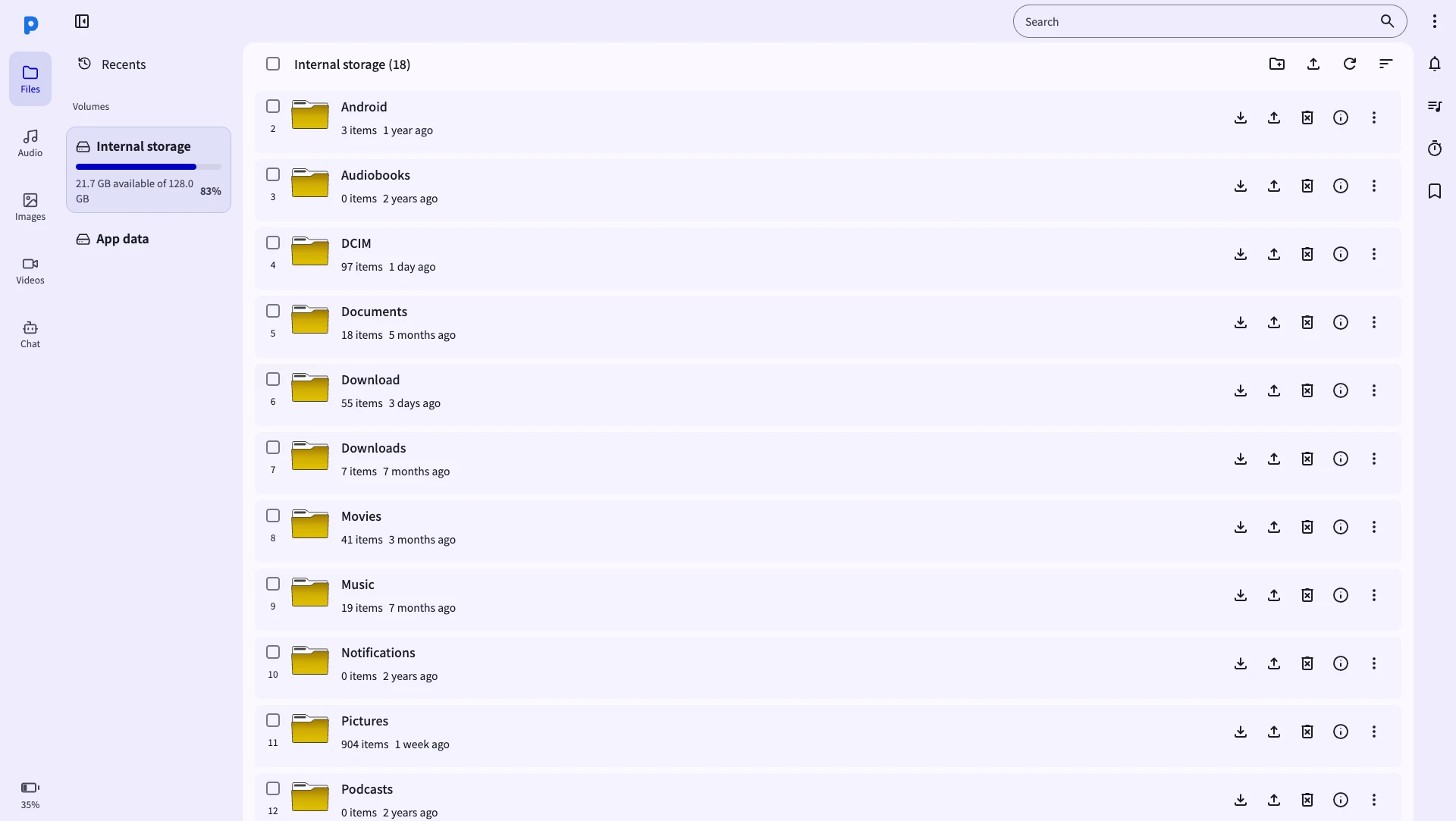
For a first transfer:
- Download PlainApp on your Android phone.
- Connect the phone and computer to the same Wi-Fi or phone hotspot.
- Start the local service and open its displayed address in the browser.
- Open Files to download phone files or upload files from the computer.
PlainApp is designed for local access. It does not provide AirDroid's out-of-network remote access as a built-in service. Phone features also depend on Android permissions. SMS and call features require the F-Droid or GitHub build; the Google Play build omits them. See the AirDroid alternative comparison for the scope, or follow the Android-to-PC transfer guide for step-by-step instructions.
Other file-transfer options
- LocalSend: consider it for file sharing between supported devices when installing a native client on each end suits you. See our LocalSend comparison.
- KDE Connect: consider it for desktop and phone integration; check support for the particular platforms and features you need.
- PlainICU: a browser-based transfer tool from the PlainApp team for people who need file transfer rather than a full phone manager. Open PlainICU.
Which option should you choose?
| Your task | Start here |
|---|---|
| Open an existing AirDroid connection | Official AirDroid Web |
| Use AirDroid on the same network | Its local IP connection option |
| Manage Android from a browser with open-source software | PlainApp comparison and setup |
| Copy files from Android to a computer | Android-to-PC steps |
| Transfer locally without internet access | Offline transfer guide |
| Reach a phone from another network | Check AirDroid's remote-access requirements |
Choose by connection mode, device support and the task you need to complete. Browser access alone does not tell you whether a transfer is local, account-free or suitable for remote use.