
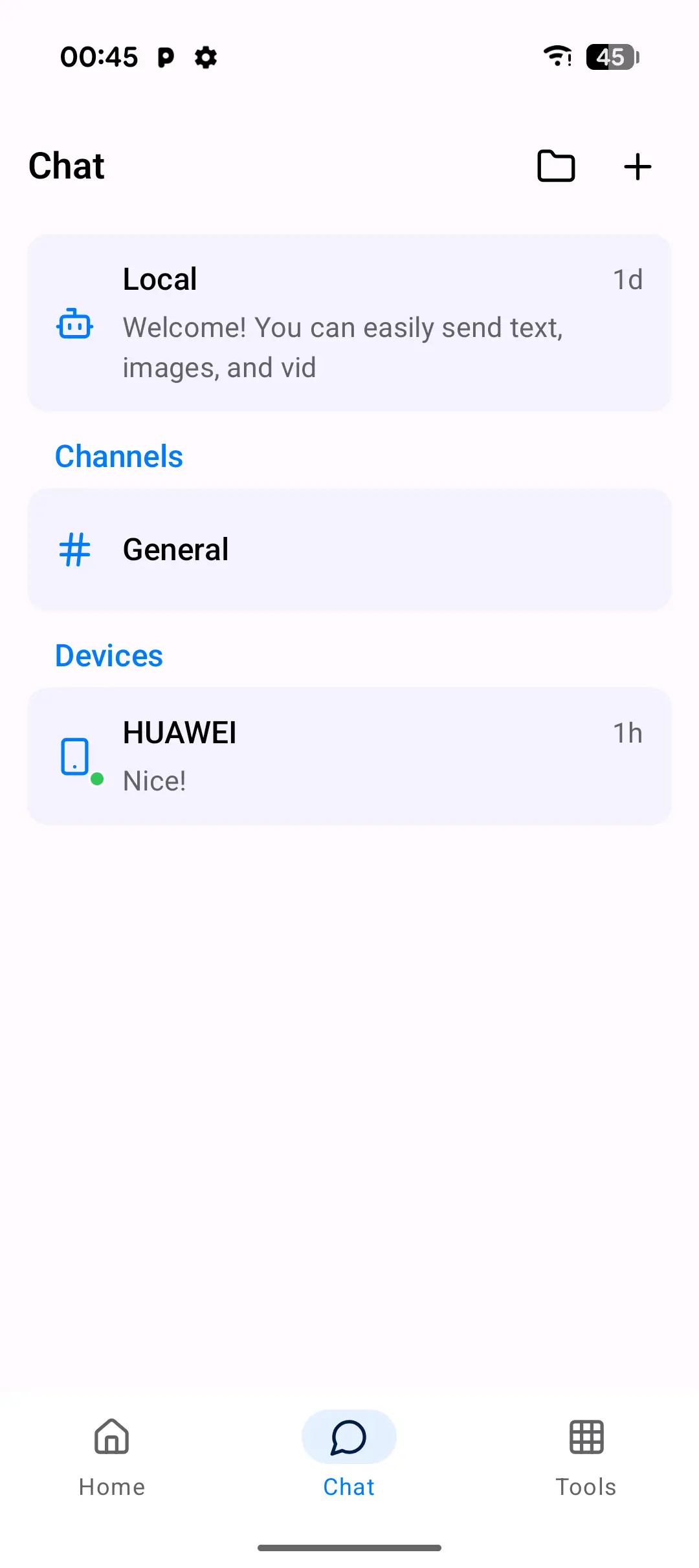
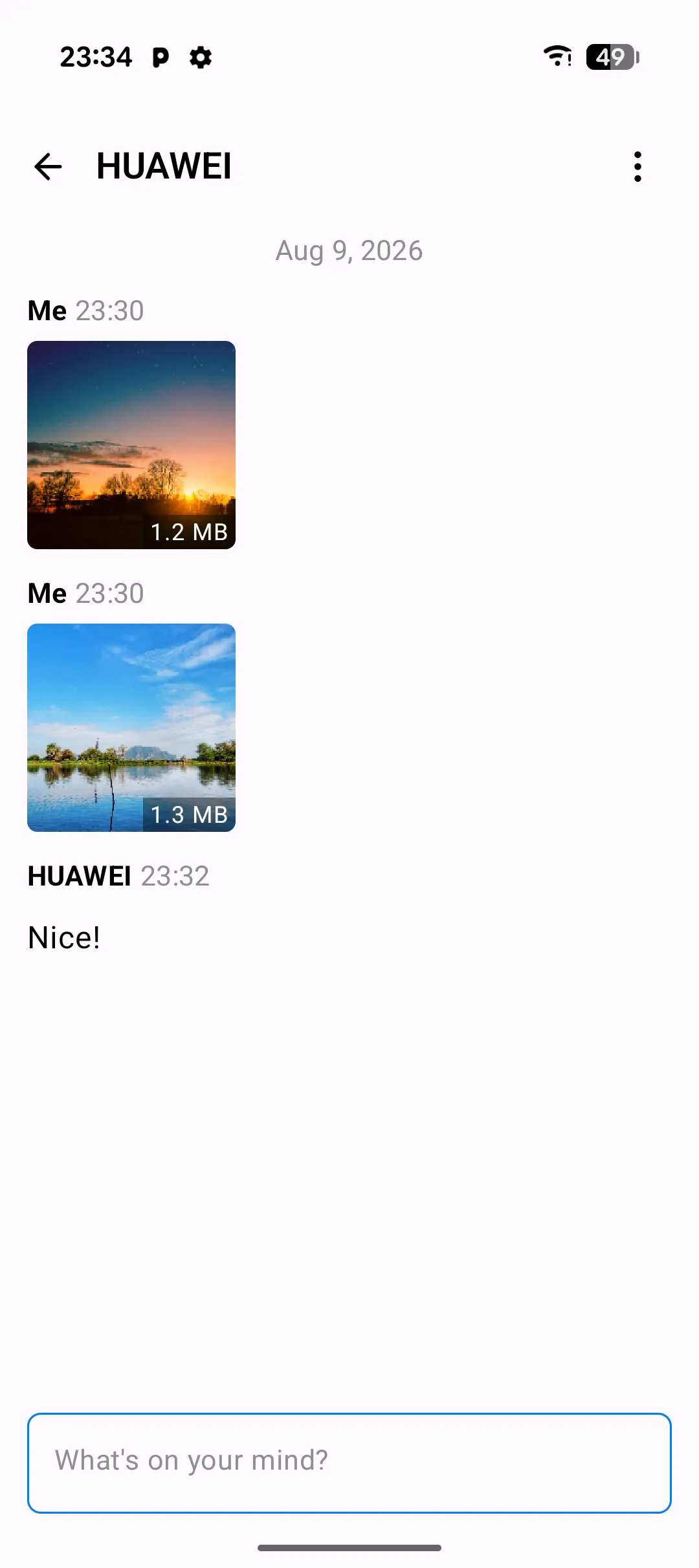
The Chat screen is PlainApp's built-in peer-to-peer messenger. Open it and you'll see a list of every other PlainApp device on your network — paired peers, unpaired peers waiting to be paired, and any channels (group chats) you've joined or created. Tap one and you're in a conversation view with message bubbles, file attachments, and a per-message encryption indicator.
Chat runs entirely on the phone. There is no central server, no account, no phone number lookup. Messages travel directly from your device to the peer device over the best transport available — Wi-Fi Aware when both devices support it, the local network otherwise, with Bluetooth Low Energy as a fallback for discovery. Every message is end-to-end encrypted, and the keys never leave the devices that produced them.
Key capabilities
- Direct peer-to-peer messaging — text and files sent straight from your device to another PlainApp device, with no relay in the middle.
- Channels (group chat) — create a channel and invite paired peers. Channel messages are encrypted for every member individually.
- File attachments — attach photos, documents, or any file from the Files screen. Files are encrypted and sent over the same transport as text.
- Per-message encryption indicator — each message shows a lock icon once it's been encrypted and acknowledged by the peer.
- Transport fallback — messages pick the best available transport automatically: LAN, Wi-Fi Aware, or BLE for discovery.
- Long messages as files — anything over 2048 characters is automatically sent as an encrypted text file instead of a text bubble.
Walkthrough
- Open the Chat tab from the bottom navigation bar. The list shows the local chat (your own device), any channels you've joined, and paired peers with online status.
- Tap a paired peer to open the conversation. If a peer is unpaired, tap it to start the pairing flow — scan the peer's QR code or accept the pairing request.
- Type a message in the input bar at the bottom and press send. The lock icon next to the message shows the encryption state; it confirms once the peer acknowledges receipt.
- Attach a file — tap the attachment button and pick a file from the Files screen. The file is encrypted and uploaded to the peer over the active transport.
- Check the encryption indicator — tap and hold a sent message to see its delivery status, encryption key fingerprint, and the transport used.
- Switch transport — if a peer is reachable over both LAN and Wi-Fi Aware, the conversation auto-selects the faster one. Pull to refresh to force a reconnect.
Tips & tricks
- Pair both devices once and they stay paired. Paired peers reconnect automatically when they're on the same network again.
- Create a channel to group-message multiple peers at once. Each member receives an individually-encrypted copy of every message.
- If a message fails to send, tap it to open the delivery status modal and retry without retyping.
- Long messages (over 2048 characters) are sent as encrypted text files automatically — no need to split them yourself.
Privacy & security notes
- Messages are end-to-end encrypted with XChaCha20-Poly1305. Keys are derived per-conversation and never leave the participating devices.
- Each device signs its messages with an Ed25519 key. The peer verifies the signature against the sender's public key, which is exchanged at pairing time.
- Pairing uses ECDH P-256 key exchange to establish a shared secret. The pairing handshake happens over a QR-code scan or a short-lived local channel; there is no central server involved at any step.
Related features
- Encrypted P2P Chat in the Web Dashboard — the same chat surface in a browser, for when your phone is across the room.
- File Management on Android — pick files to attach to chat messages from the Files screen.