
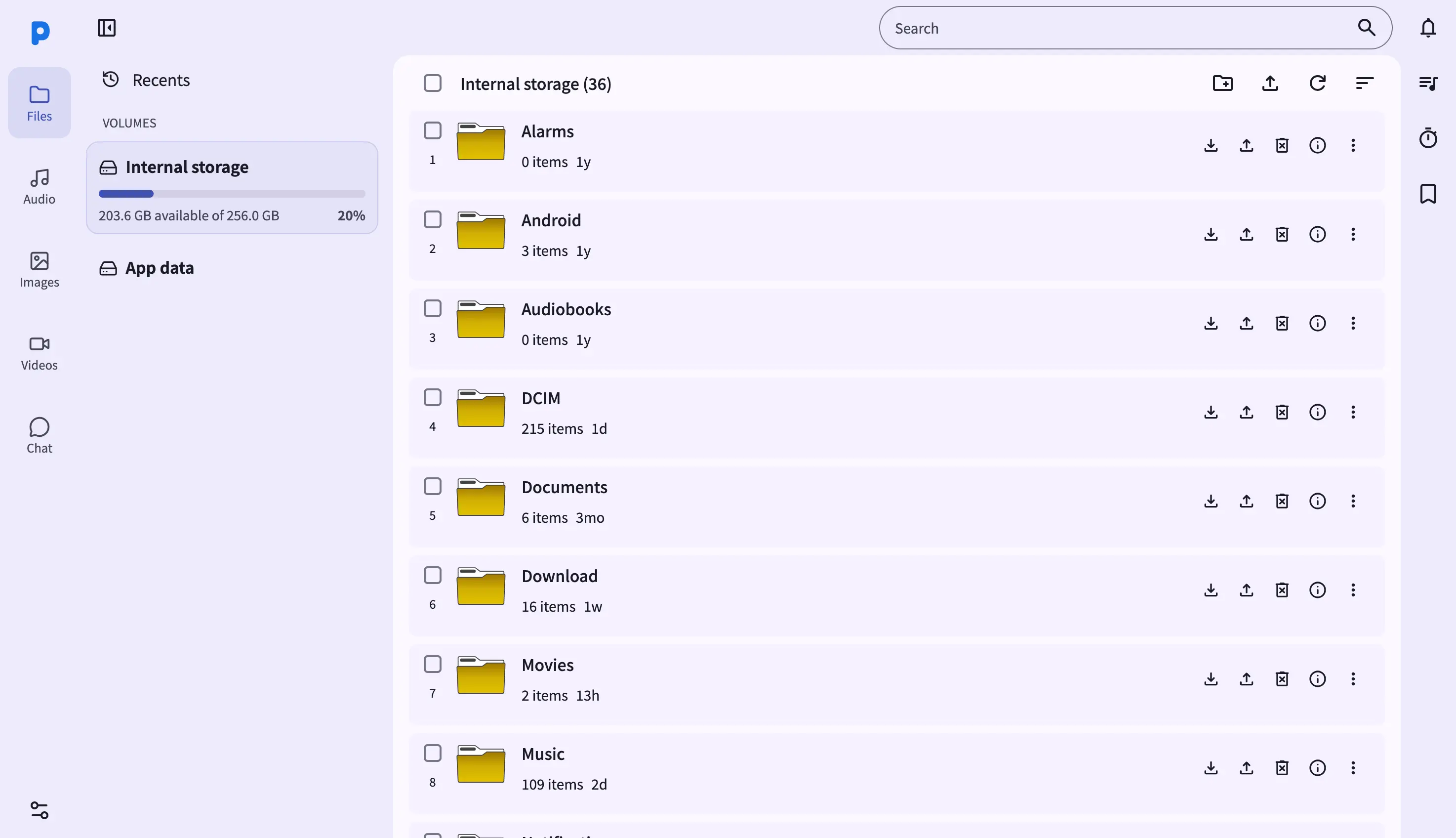
The Files view in the web dashboard turns any laptop or desktop browser into a full file manager for your Android phone. Visit the URL shown in the PlainApp app (for example, https://192.168.1.50:8443/files) from any browser on the same Wi-Fi network, and you'll see every file on the phone laid out in a familiar two-pane layout.
Because the dashboard runs as a static web app served directly from the phone, there's no cloud relay in the middle. Your browser talks to the phone over an encrypted TLS connection — every byte, from a tiny text file to a 4 GB video, stays on your local network.
Key capabilities
- Desktop-grade file table — Easily organize your files by clicking the sort button at the top right. Supports sorting by name, size, modified date.
- Drag-and-drop upload — drop files from your computer directly into the browser window to upload them to the current folder.
- Multi-select and bulk actions — Shift-click for range selection, Ctrl/Cmd-click for individual items. The selection toolbar appears at the top of the screen with Download, Copy, Cut, and Delete actions.
- Built-in viewers — click a image, audio, or video file to open it in a modal viewer without leaving the Files page.
- Path breadcrumbs — the breadcrumb at the top of the table shows your current location. Click any segment to navigate back.
Walkthrough
- Open the Files page from the left sidebar. The first time you visit, you'll land in Internal Storage with the root folders visible.
- Click a folder to enter it. The breadcrumb updates and the table refreshes with the folder's contents.
- Upload a file by dragging it from your computer into the browser window. A drop zone appears around the table; release the file to start the upload.
- Download files by selecting one or more items and clicking Download in the selection toolbar. A single file downloads directly; multiple files are zipped on the fly.
- Search the current folder using the search box in the top-right corner. The list filters as you type.
Tips & tricks
- Keyboard shortcuts:
/focuses the search box,Ctrl/Cmd+Aselects all,Deletemoves the selection to the trash. - Resume interrupted uploads by dragging the same file again — PlainApp detects the partial upload and continues from where it stopped.
Related features
- File Management on Android — the on-phone file manager UI for when you're not at a computer.
- Photos, Videos & Music in the Web Dashboard — the dedicated gallery view for media files in the browser.
- Markdown Notes in the Web Dashboard — write notes in the browser with a live markdown preview.